简介
企企不仅openapi接口查询数据,还支持直接查询企企中的数据的方式,本教程将介绍如果通过gql直接查询数对接。
适用对象
所有对象
案例实现
查询单据类型
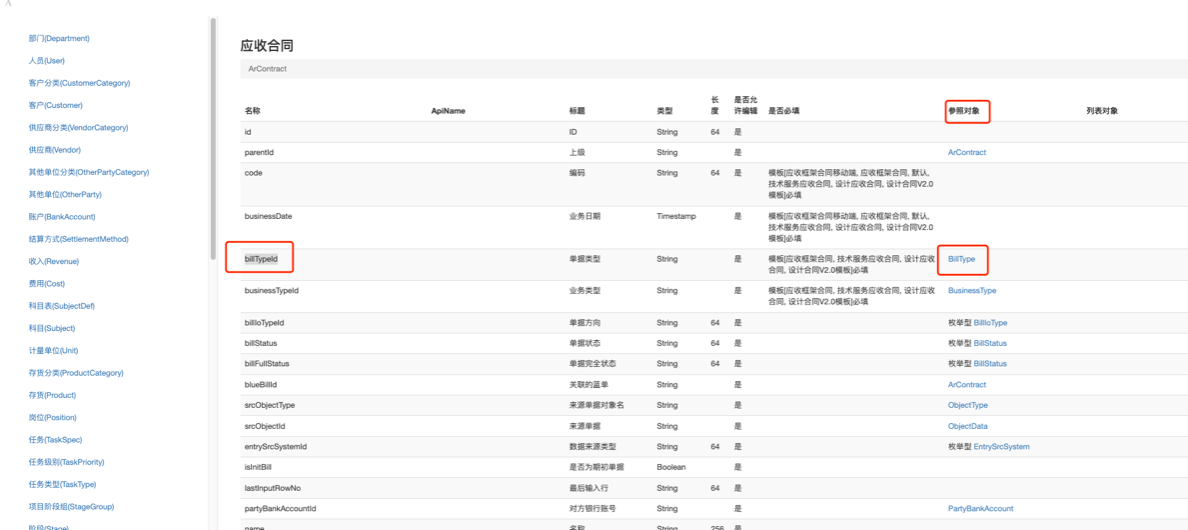
1.如下图,数据字典中应收合同的单据类型参照对象为BillType
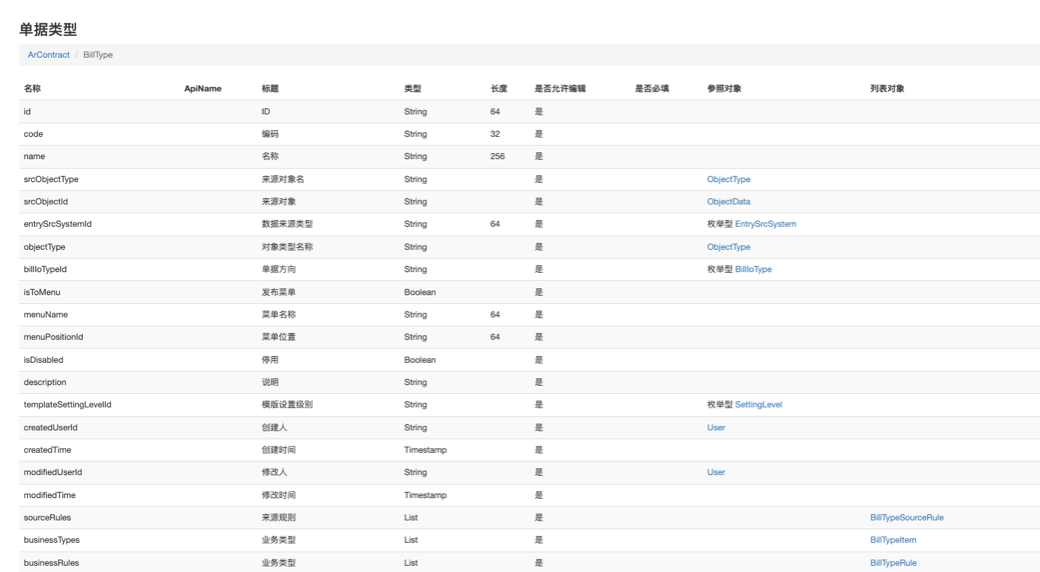
2.点击BillType课查看BillType 中的字段
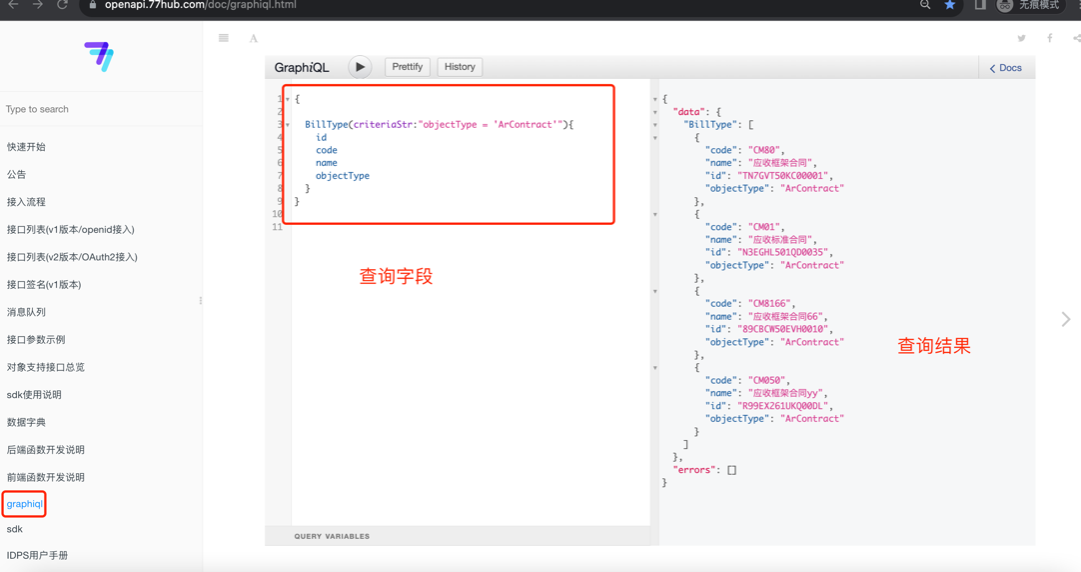
3.查询应收合同的单据类型,查询条件如下:
{
  BillType(criteriaStr:"objectType = 'ArContract'"){
    id
    code
    name
    objectType
  }
}
4.实现效果如下:
根据主表查询子表字段
1.查询应收合同和应收合同的标,查询条件如下:
{
  ArContract(criteriaStr:"id is not null  limit 3"){
    id
    code
    name
    arContractSubjectMatterItems{
      id
      ordinal
      srcObjectType
      srcObjectId
      srcItemObjectType
      srcItemObjectId
      arContractId
      arFrameContractId
      projectId
      project{
        id
        code
        name
      }
     amount
     originAmount
     revenueId
    }
  }
}
2.实现效果如下:
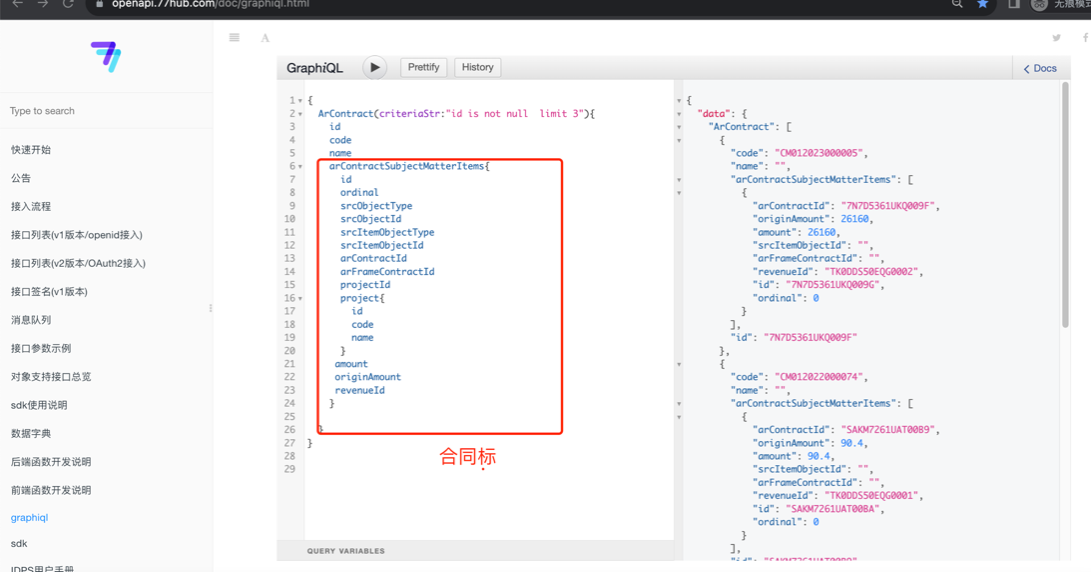
3.查询条件如下:
{
  ArContract(criteriaStr:"id is not null  limit 3"){
    id
    code
    name
    arContractSubjectMatterItems{
      id
      ordinal
      srcObjectType
      srcObjectId
      srcItemObjectType
      srcItemObjectId
      arContractId
      arFrameContractId
      projectId
      project{
        id
        code
        name
      }
     amount
     originAmount
     revenueId
    }
  }
}
将查询的时间格式化
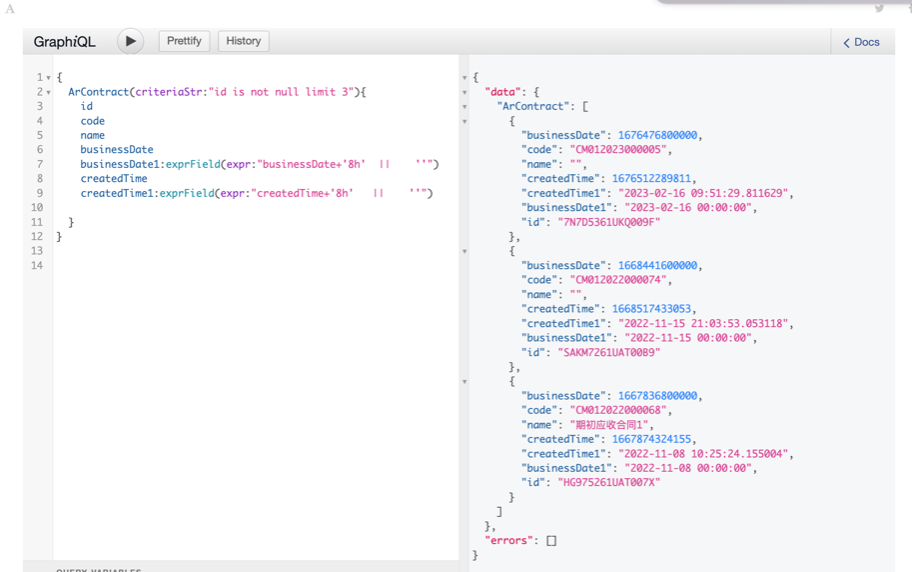
1.默认查询的时间为时间戳格式,可以将时间戳转换为日期格式,,查询条件如下
  {
  ArContract(criteriaStr:"id is not null limit 3"){
    id
    code
    name
    businessDate
    businessDate1:exprField(expr:"businessDate+'8h'  ||    ''") // 业务日期格式化
    createdTime
    createdTime1:exprField(expr:"createdTime+'8h'   ||    ''") // 创建日期格式化

  }
}
2.实现效果如下:
根据时间条件查询
日期条件查询, 注意: 时间表达式使用0时区的时间,时间戳使用秒
使用时间表达式查询
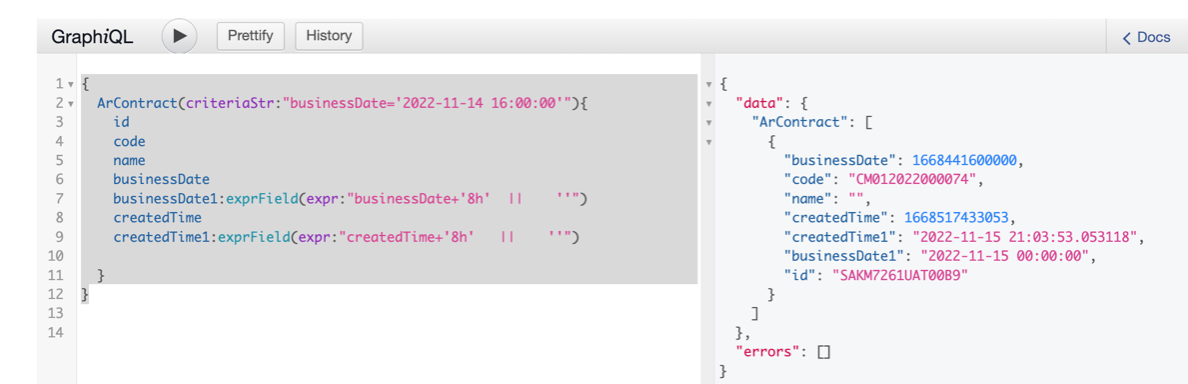
1.时间表达式作为查询条件,查询业务日期为2022年11月15日的应收合同,时间表达式使用0时区的时间,查询条件如下
{
  ArContract(criteriaStr:"businessDate='2022-11-14 16:00:00'"){
    id
    code
    name
    businessDate
    businessDate1:exprField(expr:"businessDate+'8h'  ||    ''")
    createdTime
    createdTime1:exprField(expr:"createdTime+'8h'   ||    ''")

  }
}
2.实现效果如下:
使用时间戳查询
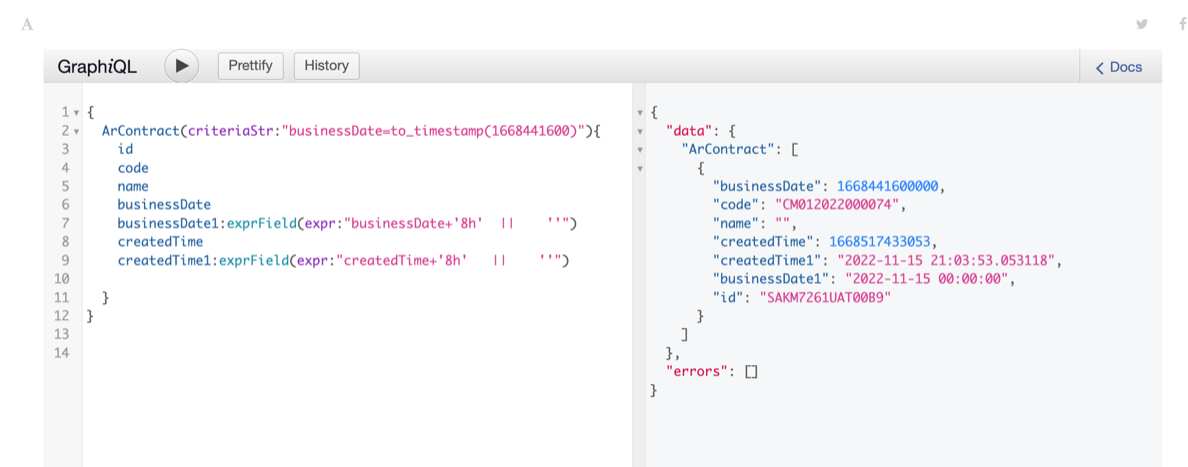
1.时间戳作为查询条件,查询业务日期为2022年11月15日的应收合同,时间戳使用秒查询条件如下
{
  ArContract(criteriaStr:"businessDate=to_timestamp(1668441600)"){
    id
    code
    name
    businessDate
    businessDate1:exprField(expr:"businessDate+'8h'  ||    ''")
    createdTime
    createdTime1:exprField(expr:"createdTime+'8h'   ||    ''")

  }
}
2.实现效果如下: